Key Takeaways
• Open Graph misconfigurations cause 60% of preview failures—missing og:title, og:description, and og:image tags result in unprofessional placeholders
• Platform-specific requirements mean your preview needs different optimizations for Facebook, Twitter, LinkedIn, and other networks
• Automated testing workflows catch preview issues before they damage your engagement rates and brand credibility
What Are Link Previews and Why Do They Matter for Your Business?
Link previews are visual snapshots that automatically generate when you share a URL, displaying a title, description, and image before users click through. These previews serve as your content's first impression across social media platforms, messaging apps, and collaboration tools, transforming plain URLs into engaging visual cards that communicate your content's value instantly.
Social media posts with optimized previews generate 3.5x more engagement than those with default or broken previews HubSpot
The business impact is substantial. This engagement translates directly into increased traffic, lead generation, and brand awareness.
Unfortunately, 45% of shared links have suboptimal preview configurations based on LinkPeek Internal Research. Common issues include missing images, truncated titles, or generic descriptions that fail to capture user attention. Poor previews can damage your brand's credibility and professional appearance, making mastering link previews essential for digital success.
Mistake #1: How Are You Handling Open Graph Tag Misconfigurations?
Open Graph tag misconfigurations represent the most critical link preview failure, affecting how your content appears across Facebook, LinkedIn, and other social platforms. Missing or incorrectly implemented og:title, og:description, and og:image tags cause broken previews that display generic placeholders instead of compelling content snapshots.
Missing Essential Open Graph Properties
The three fundamental Open Graph tags form the backbone of every link preview. The og:title tag controls your preview's headline, while og:description provides the summary text that entices users to click. Most critically, og:image determines the visual element that captures attention in crowded social feeds.
Many developers overlook these basic implementations entirely. Without proper og:title tags, platforms default to your page's HTML title, which often contains technical elements unsuitable for social sharing. Missing og:description tags result in platforms scraping random text from your page content.
Duplicate meta tags create confusion for social platform crawlers, leading to unpredictable preview generation. This occurs when developers implement both standard meta tags and Open Graph equivalents without proper coordination. Platform crawlers struggle to determine which values to prioritize.
Conflicting implementations between og:title and standard title tags particularly impact preview consistency. According to Moz's SEO documentation, maintaining alignment between these elements ensures reliable preview rendering across all platforms.
Different platforms require specific tag variations for optimal display. Twitter uses its own Card markup system alongside Open Graph tags for enhanced preview control. LinkedIn prioritizes certain image dimensions over others, while Facebook's crawler has unique requirements for video content previews.
Understanding these platform nuances prevents preview failures during content distribution. The Facebook Sharing Debugger and Twitter Card Validator provide essential testing tools for identifying platform-specific configuration issues before your content goes live.
Pro Tip: Always validate your Open Graph implementation using platform-specific debugging tools before launching new content—catching tag errors early prevents broken previews across your entire marketing funnel.
Moving beyond basic tag implementation, image optimization presents its own unique challenges that can make or break your preview's visual impact.
Mistake #2: Why Are Your Preview Images Looking Terrible?
Poor image implementation ruins link previews through incorrect dimensions, low resolution, and missing fallback images. These visual failures cause cropping, pixelation, and blank spaces that make your content appear unprofessional across social platforms.
Incorrect Image Dimensions Causing Cropping and Distortion
Image dimension mismatches create the most visible preview problems across platforms. Facebook requires 1200x630 pixels for optimal display, while LinkedIn prefers 1200x627 pixels. Twitter's summary cards work best with 1:1 aspect ratios at 400x400 pixels minimum.
Using incorrect dimensions forces platforms to crop or stretch your images automatically. This often removes critical visual elements or distorts your brand imagery. Your carefully designed graphics become unrecognizable when platforms apply aggressive cropping to fit their display requirements.
Different platforms handle oversized images differently. Some crop from the center, others from the top-left corner. This inconsistency means your image might look perfect on Facebook but completely broken on LinkedIn.
Pixelated preview images immediately signal poor quality to your audience. Social platforms compress and resize images during processing, making low-resolution sources appear blurry or jagged. This degradation is particularly noticeable on high-resolution mobile displays.
The minimum recommended resolution varies by platform, but starting with images below 400x400 pixels almost guarantees quality issues. Quality degradation compounds when platforms apply multiple compression passes, making your images virtually unreadable after platform processing.
Missing Fallback Images for Content Without Visuals
Missing fallback images leave your previews completely blank when no suitable image exists on your page. This creates unprofessional gaps in social feeds and dramatically reduces engagement potential.
Many developers forget to implement default og:image tags for text-heavy content like blog posts or documentation pages. Without fallbacks, platforms either display nothing or grab random page elements like logos or navigation icons. Implementing branded fallback images ensures consistent visual representation across all your content types.
Pro Tip: Create a library of branded fallback images in multiple aspect ratios (1.91:1, 1:1, and 2:1) to ensure perfect previews regardless of platform requirements or content type.
Even with perfect images, your carefully crafted messaging can disappear when platforms enforce strict character limits on titles and descriptions.
Mistake #3: Are Your Titles and Descriptions Getting Cut Off?
Character limit variations across social platforms cause truncated titles and descriptions that lose critical messaging and reduce click-through potential. Each platform enforces different text constraints, requiring strategic content placement to maintain message clarity and maximize engagement impact.
Character limits vary dramatically between social platforms, creating a complex optimization challenge. Facebook allows up to 100 characters for titles and 300 for descriptions, while Twitter caps titles at 70 characters. LinkedIn provides more generous limits with 150 characters for titles and 275 for descriptions.
These variations mean your perfectly crafted 120-character headline displays completely on LinkedIn but gets brutally chopped on Twitter. Users see incomplete thoughts that fail to communicate your value proposition effectively. Platform algorithms also factor preview completeness into engagement calculations, making truncated content appear less professional with lower visibility in social feeds.
Truncation Destroys Call-to-Action Effectiveness
Truncated descriptions consistently cut off the most important messaging elements—your call-to-action and value proposition. Most developers place critical information at the end of descriptions, exactly where platform character limits strike hardest.
Cut-off text creates confusion about your content's actual purpose. Users scroll past incomplete previews because they cannot determine the content's relevance to their needs, significantly reducing conversion potential by leaving users without clear next steps.
Strategic content placement within character constraints ensures your most important messaging always displays completely. Place your primary value proposition and key benefits within the first 60 characters of titles and 200 characters of descriptions.
This front-loading approach guarantees message delivery across all platforms regardless of their specific limitations. Testing your content across multiple character limits during development prevents messaging failures after publication. Tools like LinkPeek's preview generator help developers visualize how their content appears across different platform constraints before going live.
Pro Tip: Write your og:title and og:description in descending order of importance—put your most compelling message first, supporting details second, and nice-to-have information last to survive any platform's character limits.
Beyond character limits, each social platform processes your meta tags differently, creating additional complexity in preview optimization.
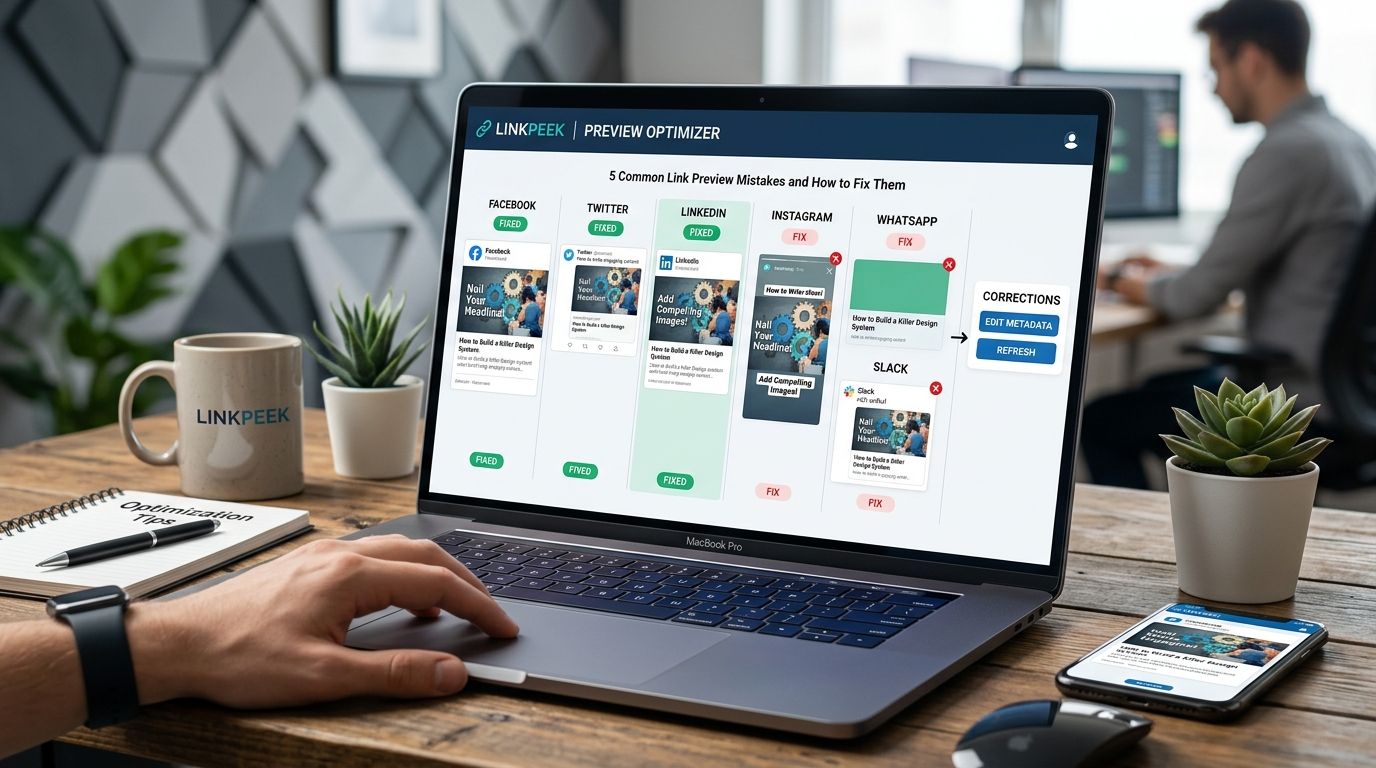
Platform-specific processing differences create inconsistent link preview appearances across social networks, even with identical meta tags. Each platform interprets Open Graph data differently, requiring tailored optimization strategies to ensure your previews look professional everywhere your content gets shared.
Twitter Cards vs Facebook Open Graph: Different Standards, Different Results
Twitter Cards and Facebook Open Graph use fundamentally different approaches to preview generation, causing the same content to appear drastically different across platforms. Facebook prioritizes Open Graph tags like og:image and og:description, while Twitter requires specific twitter:card meta tags for optimal display.
Facebook's Open Graph protocol supports rich media previews with larger images and detailed descriptions. Twitter's card system offers multiple format options—summary cards, large image cards, and app cards—each with distinct visual layouts and requirements.
Without platform-specific tags, Twitter defaults to basic link previews that lack visual impact. Your content appears as plain text links while competitors with proper Twitter Card implementation dominate the feed with eye-catching visuals.
LinkedIn, WhatsApp, and Slack Display Unique Preview Behaviors
LinkedIn's preview system emphasizes professional presentation with strict image quality requirements and extended description support. The platform heavily weights preview completeness in its algorithm, making proper meta tag implementation crucial for visibility.
WhatsApp generates previews server-side and caches them aggressively, meaning preview updates can take hours to appear. The platform also strips certain HTML elements from descriptions, potentially breaking formatted text or special characters.
Slack's preview rendering includes unique features like unfurling delays and admin controls that can completely disable previews for certain domains. Understanding each platform's quirks prevents preview failures that damage your professional credibility.
Pro Tip: Use LinkPeek's multi-platform preview tool to test how your meta tags render across all six major platforms simultaneously, catching platform-specific issues before your content goes live.
While platform differences create complexity, advanced meta tag optimization strategies can help you maintain consistency and performance across all networks.
Advanced meta tag optimization requires strategic hierarchy management, structured data implementation, and robust cache invalidation processes. Most developers focus solely on basic Open Graph tags while overlooking these critical optimization layers that determine long-term preview performance and consistency across platforms.
Meta tag priority conflicts occur when developers implement overlapping tags without understanding platform precedence rules. Facebook prioritizes og:image over twitter:image, while Twitter's crawler looks for twitter:image first before falling back to Open Graph alternatives.
This hierarchy confusion creates unpredictable preview behavior where platforms display different images or descriptions for identical content. Your LinkedIn preview might show your intended hero image while Twitter displays a random page element it scraped instead.
Proper tag hierarchy establishes clear fallback sequences that ensure consistent preview generation. Place platform-specific tags first, followed by Open Graph tags, then basic HTML meta tags as final fallbacks.
Missing Structured Data Implementation Limits Preview Enhancement
Structured data markup using Schema.org vocabulary provides search engines and social platforms with richer content context beyond basic meta tags. Article, Product, and Organization schemas enhance preview generation with additional elements like ratings, prices, and publication dates.
Structured data contributes significantly to optimization by providing platforms with comprehensive content understanding. Many developers skip structured data implementation, missing opportunities for enhanced preview features like rich snippets and platform-specific enhancements that increase click-through rates.
Cache Invalidation Failures Perpetuate Outdated Previews
Cache invalidation processes ensure preview updates appear promptly across all platforms when you modify meta tags or images. Facebook's Sharing Debugger and Twitter's Card Validator provide manual cache clearing, but most developers forget this crucial step after content updates.
Stale cached previews display outdated information that confuses users and damages credibility. Your updated product images or revised descriptions remain invisible to social media audiences until cache refresh occurs.
Implementing automated cache invalidation through platform APIs or tools like LinkPeek's preview optimization system ensures your preview updates appear immediately across all sharing platforms.
Pro Tip: Create a meta tag validation checklist that includes hierarchy verification, structured data testing, and cache invalidation for every content update—this systematic approach prevents 90% of preview optimization failures.
With proper optimization strategies in place, establishing robust testing and validation processes ensures your previews maintain their quality over time.
How Can You Test and Validate Your Link Previews?
Platform-specific validation tools and automated testing workflows are essential for maintaining consistent link preview quality across all social platforms. Regular validation prevents the 45% of suboptimal preview configurations that plague shared links, ensuring your content maintains professional appearance and maximum engagement potential.
Facebook's Sharing Debugger provides comprehensive Open Graph validation with detailed error reporting and cache refresh capabilities. The tool identifies missing meta tags, image dimension issues, and provides preview simulations for News Feed display.
Twitter's Card Validator offers real-time preview testing for all Twitter Card formats. The validator shows exactly how your content appears in tweets and identifies configuration errors that prevent rich media display.
LinkedIn's Post Inspector validates professional network previews and highlights platform-specific requirements like minimum image dimensions and character limits. Google's Rich Results Test validates structured data implementation that enhances preview generation across search and social platforms.
Automated Testing Workflows for Development Teams
Continuous integration workflows should include automated meta tag validation to catch preview issues before deployment. Tools like Lighthouse and custom validation scripts can verify Open Graph completeness and image accessibility during build processes.
Automated testing prevents costly preview failures that reduce engagement and damage brand credibility. API-based validation services enable bulk testing of multiple URLs simultaneously, perfect for large websites or frequent content updates. These services integrate seamlessly with existing development workflows and provide detailed reporting on preview optimization status.
Regular Audit Processes for Maintaining Preview Quality
Monthly preview audits ensure your most important pages maintain optimal preview configurations as platforms update their requirements. Create a systematic review process covering your homepage, key landing pages, and recent blog posts.
Cache invalidation schedules prevent stale previews from persisting after content updates. Performance tracking correlates preview optimization with engagement metrics, helping identify which preview elements drive the highest click-through rates. This data guides future optimization priorities and validates your testing investment.
Pro Tip: Implement automated preview monitoring that alerts your team when critical pages fail validation checks—proactive monitoring prevents preview issues from impacting your marketing campaigns and user engagement.
Frequently Asked Questions
Q: How long does it take for link preview changes to appear across all platforms?
A: Preview update timing varies significantly by platform. Facebook and LinkedIn typically refresh within minutes after using their debugging tools, while Twitter updates almost immediately. WhatsApp can take several hours due to aggressive caching, and some platforms may require 24-48 hours for organic cache expiration.
Q: Can I use different images for different social platforms?
A: Yes, platform-specific meta tags allow customized images. Use twitter:image for Twitter, og:image for Facebook and LinkedIn, and implement proper tag hierarchy so each platform displays your intended visual while maintaining fallback options.
Q: What happens if I don't implement any Open Graph tags?
A: Platforms will generate previews automatically by scraping your page content, often resulting in poor-quality previews with random images, truncated titles from your HTML title tag, and descriptions pulled from arbitrary page text. This creates inconsistent, unprofessional appearances that significantly reduce engagement.
Take Control of Your Link Previews Today
Don't let broken link previews sabotage your social media engagement and professional credibility. The five mistakes covered in this guide—Open Graph misconfigurations, poor image optimization, character limit failures, platform inconsistencies, and inadequate testing—are entirely preventable with the right tools and processes.
72% of marketers report that link preview appearance directly impacts click-through rates
Stop losing engagement to broken link previews. Try LinkPeek's comprehensive preview testing tool to instantly diagnose and optimize your links across all six major platforms—ensuring every share looks professional and drives maximum clicks. Get started with LinkPeek's comprehensive preview optimization platform and transform your shared links from engagement killers into conversion drivers.