Key Takeaways
- Link previews can increase engagement rates by 72% according to recent marketing research from the Content Marketing Institute, making them essential for digital marketing success
- Mobile users show 45% higher interaction rates with rich link previews compared to plain text links, as reported by Google Mobile Insights
- Platform-specific optimization significantly impacts preview rendering and performance across different social networks
- Proper metadata implementation directly correlates with click-through success and professional brand presentation
72% of marketers believe link previews increase content engagement, making optimization essential for digital success.
Table of Contents
Link previews are visual and textual representations of web content that appear when URLs are shared across platforms, directly influencing user engagement and click-through rates. Understanding their mechanics and optimization strategies can boost your content performance by up to 33% according to HubSpot Research.
Estimated Read Time: 6-8 minutes
Quick Navigation
- What Is a Link Preview? - Definition and core components
- The Direct Impact on Click-Through Rates - Data-driven insights and statistics
- How Link Previews Work - Technical mechanics and metadata
- Platform-Specific Differences - Variations across major platforms
- Key Elements of Effective Link Previews - Title, description, and image optimization
- Common Link Preview Problems - Issues that hurt performance
- Best Practices for Optimization - Actionable strategies for better results
- Tools and Testing Methods - Resources for preview optimization
- Measuring Success and ROI - Tracking performance metrics
What Exactly Is a Link Preview and How Does It Work?
A link preview is a visual card containing a title, description, and image that automatically generates when you share a URL on social media, messaging apps, or websites. These previews use metadata embedded in web pages to create rich, clickable representations of your content before users visit the actual link.
The Technical Mechanics Behind Link Previews
When you paste a URL into a platform, the system sends a request to that webpage's server. The platform's crawler then scans the page's HTML head section for specific metadata tags that define how the link should appear. This process happens in milliseconds, pulling information like titles, descriptions, and featured images.
The Open Graph Protocol serves as the primary standard for this metadata exchange. Originally developed by Facebook and documented at ogp.me, it's now widely adopted across platforms. These og: tags tell platforms exactly which content elements to display in the preview card.
Rich Snippets vs. Link Previews: Key Differences
Rich snippets appear in search engine results and include structured data like ratings, prices, or event details according to Schema.org guidelines. Link previews, however, focus on social sharing contexts and emphasize visual appeal over structured information. While both use metadata, link previews prioritize engagement through compelling imagery and concise descriptions.
According to HubSpot Research (2024), properly optimized link previews can increase click-through rates by up to 33%. This significant impact stems from how previews leverage visual and textual cues to improve user decision-making before they click.
Pro Tip: Test your link previews across multiple platforms before sharing. Each platform interprets metadata slightly differently, and what looks perfect on LinkedIn might appear broken on Twitter.
Understanding these mechanics helps developers and marketers create more effective content strategies. For comprehensive guidance on implementing these tags correctly, check out our detailed guide on Open Graph tags and social media optimization.
Why Do Link Previews Have Such a Massive Impact on Click-Through Rates?
Link previews dramatically boost click-through rates because they leverage the psychology of visual decision-making and establish immediate trust through rich visual cues. According to the Content Marketing Institute (2023), 72% of marketers believe link previews increase content engagement, while HubSpot Research (2024) shows they can improve click-through rates by up to 33%.
Building on the technical foundation, the real power of link previews lies in their psychological impact on user behavior.
The Psychology Behind Visual Decision-Making
Human brains process visual information 60,000 times faster than text. When users see a link preview with an engaging image, compelling title, and clear description, they make split-second decisions about whether content is worth their time. This visual processing happens subconsciously, triggering emotional responses before rational evaluation begins.
Trust and credibility factors play equally important roles. A polished link preview signals professionalism and quality content. Missing images, truncated titles, or broken previews immediately raise red flags about content reliability.
Mobile User Behavior Drives Engagement
Mobile users show distinctly different interaction patterns with link previews. Google Mobile Insights (2023) reveals that mobile users are 45% more likely to interact with content featuring rich link previews. On smaller screens, previews serve as crucial content filters, helping users quickly assess relevance.
Mobile users are 45% more likely to interact with content featuring rich link previews compared to plain text links.
Mobile users typically scroll faster and have shorter attention spans. Well-optimized previews act as visual anchors, stopping the scroll and encouraging engagement. The combination of limited screen space and rapid browsing behavior makes preview optimization essential for mobile success.
Pro Tip: Test your link previews on actual mobile devices, not just desktop simulators. Mobile rendering can vary significantly, and what looks perfect on desktop might appear cramped or illegible on phones.
Understanding these behavioral patterns helps explain why mastering link preview optimization has become critical for digital marketing success.
Each platform processes link previews differently, using distinct metadata standards and rendering engines that affect how your shared links appear. Understanding these platform-specific requirements is essential for maximizing engagement across all channels where you share content.
While the psychology behind link previews remains consistent, each platform processes them differently, using distinct metadata standards and rendering engines that affect how your shared links appear.
Facebook Open Graph Implementation
Facebook pioneered the Open Graph Protocol and maintains the most comprehensive implementation. The platform prioritizes og:image tags with 1200x630 pixel dimensions and requires specific aspect ratios for optimal display. Facebook's crawler updates preview data every 24 hours, but you can force refreshes using their Sharing Debugger tool.
The platform also supports advanced features like multiple images, video previews, and article-specific metadata. Facebook's algorithm favors previews with high-quality images and compelling descriptions, directly impacting organic reach.
Twitter uses its own Twitter Card system alongside Open Graph tags, as documented in the Twitter Developer Documentation. The platform offers four card types: Summary, Summary with Large Image, App, and Player cards. Each serves different content types and engagement goals.
Twitter's image requirements differ significantly from Facebook, preferring 1200x600 pixels for large image cards. The platform truncates descriptions at 200 characters, making concise copywriting crucial for effective previews.
LinkedIn Preview Optimization
LinkedIn emphasizes professional presentation and business-focused metadata. The platform strongly weights og:description content, allowing up to 300 characters before truncation. LinkedIn's preview system favors authoritative content signals and professional imagery.
The platform's crawler is particularly sensitive to page load speeds and mobile optimization. According to HubSpot Research (2024), LinkedIn previews can increase click-through rates by up to 33% when properly optimized for professional audiences.
WhatsApp and Messaging Apps
Messaging platforms like WhatsApp use simplified preview systems focused on quick loading and mobile optimization. These apps typically display smaller images and shorter descriptions due to conversational contexts and limited screen space.
WhatsApp specifically caches preview data aggressively, making initial optimization crucial since updates can take days to propagate. The platform prioritizes fast-loading images under 300KB for optimal user experience.
Slack and similar workplace tools emphasize functionality over aesthetics. These platforms often display additional metadata like file types, document previews, and integration-specific information alongside standard Open Graph data.
Slack's preview system integrates deeply with productivity apps, showing calendar events, document previews, and project management details when available. This contextual information helps teams make informed decisions about link relevance.
Email Client Preview Behavior
Email clients handle link previews inconsistently, with Gmail and Outlook offering limited preview capabilities compared to social platforms. Most email systems rely on basic metadata and may not display images due to security restrictions.
Mobile email apps generally provide richer preview experiences than desktop clients. However, preview reliability varies significantly across different email providers and security settings.
Pro Tip: Use tools like LinkPeek to test how your links appear across multiple platforms simultaneously, ensuring consistent presentation before sharing important content.
For detailed guidance on avoiding common platform-specific issues, check out our comprehensive guide on 5 common link preview mistakes and how to fix them.
What Makes a Link Preview Compelling Enough to Click?
A compelling link preview combines high-quality visuals, benefit-driven headlines, and clear value propositions that immediately communicate why users should click. The most effective previews leverage psychological triggers through strategic image selection, concise copywriting, and consistent brand presentation that builds trust within seconds.
Now that you understand how different platforms handle previews, let's focus on the elements that actually drive clicks.
Essential Visual Elements That Drive Engagement
Visual hierarchy forms the foundation of clickable previews. Your image should dominate the preview space while supporting, not competing with, your headline text. High-contrast images with clear focal points perform significantly better than busy or abstract visuals.
Color psychology plays a crucial role in preview effectiveness. Warm colors like orange and red create urgency, while blues and greens establish trust and professionalism. The key is matching color choices to your content's emotional intent and target audience expectations.
Image quality standards cannot be compromised. Blurry, pixelated, or poorly cropped images immediately signal low-value content. Invest in crisp, professionally-shot or designed images that render clearly across all device sizes and platform compression algorithms.
Copywriting Best Practices for Maximum Impact
Headlines should promise specific benefits rather than generic descriptions. Instead of "New Marketing Strategy," use "How This 3-Step Strategy Increased Our Conversion Rate by 127%." Numbers, percentages, and concrete outcomes trigger curiosity and credibility simultaneously.
Description text must expand on your headline's promise without repeating it verbatim. Use this space to address the reader's primary pain point or desired outcome. According to HubSpot Research (2024), previews with benefit-focused descriptions can increase click-through rates by up to 33%.
Power words like "proven," "exclusive," "insider," and "breakthrough" add psychological weight to your messaging. However, avoid overuse—one or two strategically placed power words per preview maintains credibility while boosting appeal.
Strategic Brand Consistency Requirements
Visual brand elements should appear consistently across all your link previews. This includes color schemes, typography choices, logo placement, and overall design aesthetic. Consistent branding builds recognition and trust over time.
Brand voice must remain constant whether you're sharing technical tutorials or promotional content. Your preview copy should sound distinctly like your brand, using consistent terminology, tone, and messaging approach that your audience recognizes.
Logo integration requires careful balance. Your brand mark should be visible but not overwhelming. Consider watermarking images subtly or incorporating brand colors naturally rather than forcing prominent logo placement that competes with your main visual message.
Pro Tip: Create a brand style guide specifically for link previews, including approved color palettes, font combinations, and image treatments to ensure consistency across team members and content types.
For detailed guidance on visual design elements that maximize clicks, explore our comprehensive guide on the typography and color rules that make link preview images actually get clicked.
How Can You Optimize Your Link Previews for Maximum Engagement?
Link preview optimization requires systematic implementation of metadata tags, strategic image selection, and rigorous testing across platforms. Focus on Open Graph and Twitter Card implementation, optimize images for each platform's specifications, and validate your previews using platform-specific debugging tools to ensure maximum engagement potential.
With compelling design principles in mind, it's time to implement the technical aspects that bring your vision to life.
Technical Implementation Essentials
Open Graph Protocol forms the foundation of effective link previews. Implement og:title, og:description, og:image, and og:url tags in your HTML head section according to Open Graph Protocol standards. These tags control how your content appears when shared across social platforms and messaging apps.
Twitter Card markup complements Open Graph data with platform-specific enhancements documented in the Twitter Developer Documentation. Add twitter:card, twitter:title, and twitter:description meta tags to optimize your previews for Twitter's unique display requirements and character limitations.
Schema.org structured data provides additional context for search engines and some platforms. Implement Article or WebPage schema markup following Schema.org Markup Guidelines to enhance your content's discoverability and preview richness across various sharing contexts.
Your title tags should be 40-60 characters for optimal display across platforms. Front-load your most compelling keywords and benefits while maintaining natural readability that encourages clicks.
Description metadata requires platform-specific optimization. Facebook allows 300 characters, Twitter truncates at 200, and LinkedIn displays up to 300 characters before cutting off your message.
URL structure impacts preview credibility significantly. Use clean, descriptive URLs without excessive parameters or tracking codes that make your links appear suspicious or unprofessional to users.
Image Optimization Guidelines
Image dimensions must match platform requirements for optimal display. Use 1200x630 pixels for Facebook, 1200x600 for Twitter large image cards, and maintain consistent aspect ratios across all platforms for professional presentation.
File size optimization ensures fast loading across all connection speeds. Keep preview images under 1MB, with 300-500KB being ideal for mobile performance. According to Google Mobile Insights (2023), mobile users are 45% more likely to interact with content featuring rich link previews that load quickly.
Alt text and file naming contribute to accessibility and SEO value. Use descriptive filenames and alt attributes that accurately describe your preview images while incorporating relevant keywords naturally.
Testing and Validation Methods
Platform debugging tools provide real-time preview validation. Use Facebook's Sharing Debugger, Twitter's Card Validator, and LinkedIn's Post Inspector to verify how your links render before sharing important content, as recommended by Google Search Central.
Cross-platform consistency requires systematic testing across multiple channels. Tools like LinkPeek enable simultaneous preview testing across six major platforms, ensuring your links maintain professional appearance regardless of where they're shared.
Cache refresh protocols help propagate metadata updates quickly. Most platforms cache preview data for 24-48 hours, but debugging tools can force immediate refreshes when you update your metadata.
Pro Tip: Create a standardized testing workflow that includes validation on at least three major platforms before publishing any content, ensuring consistent presentation across your primary sharing channels.
For comprehensive guidance on avoiding implementation pitfalls, review our detailed breakdown of 5 common link preview mistakes and how to fix them.
What Are the SEO and Marketing Benefits of Optimized Link Previews?
Optimized link previews deliver significant SEO and marketing advantages by increasing user engagement signals, amplifying social media reach, and improving conversion rates across digital channels. The Content Marketing Institute (2023) reports that 72% of marketers believe link previews increase content engagement, creating measurable impacts on brand visibility and performance metrics.
Beyond immediate click-through improvements, properly optimized link previews deliver broader business value.
Indirect SEO Impact Through User Engagement
Search engine algorithms interpret user engagement signals as quality indicators for content ranking according to Google Search Central. When optimized link previews generate higher click-through rates and longer session durations, these positive engagement metrics signal content relevance to search engines. This indirect relationship helps improve organic search visibility over time.
Social signals from shared links create additional SEO value through increased backlink opportunities and brand mentions. Quality link previews encourage more shares, expanding your content's reach and potential for earning natural backlinks from other websites.
Social media performance improves dramatically with professional link previews that stop users mid-scroll. HubSpot Research (2024) shows link previews can increase click-through rates by up to 33%, directly translating to higher traffic volumes from social platforms. This amplification effect extends your content's lifespan beyond initial posting.
Algorithm-driven platforms favor content that generates immediate engagement. Well-optimized previews create the visual appeal necessary to trigger early interactions that boost algorithmic distribution across user feeds.
Email Marketing and Conversion Benefits
Email marketing campaigns benefit from consistent link preview optimization when recipients share content with their networks. Professional previews maintain brand credibility throughout the sharing process, protecting your reputation and extending campaign reach organically.
Mobile users are 45% more likely to interact with content featuring rich link previews according to Google Mobile Insights (2023). This mobile preference directly impacts conversion rates as more users complete desired actions after clicking optimized links.
Pro Tip: Track link preview performance using UTM parameters and social media analytics to measure the direct impact on your marketing ROI. This data helps justify optimization investments and identify your highest-performing preview strategies.
For comprehensive social media optimization strategies, explore our guide on mastering link previews for social media success.
Frequently Asked Questions About Link Previews
As you implement these optimization strategies, you'll likely encounter common questions about technical requirements and best practices. Here are the most frequently asked questions about link preview optimization, covering everything from implementation basics to advanced troubleshooting techniques.
How do I create a good link preview?
Creating effective link previews starts with implementing essential Open Graph tags in your HTML head section. Include og:title, og:description, og:image, and og:url tags to control how your content appears when shared. Write compelling titles under 60 characters and descriptions between 150-160 characters to prevent truncation. Use high-quality images sized at 1200x630 pixels for optimal cross-platform compatibility. Test your previews using LinkPeek's real-time validation to ensure consistent rendering before sharing your content.
Platform compatibility varies significantly across different social networks and messaging apps. Facebook, LinkedIn, Twitter, and most major platforms support Open Graph metadata, but each has specific requirements and rendering differences. Some platforms like WhatsApp and Slack also generate previews, while others may not support rich previews at all. Platform-specific tags like Twitter Cards provide additional control for certain networks. For comprehensive coverage, explore our guide to Open Graph tags for platform-specific optimization strategies.
Can link previews improve SEO?
SEO benefits from link previews occur indirectly through improved user engagement signals. When optimized previews generate higher click-through rates and longer session durations, search engines interpret these positive metrics as content quality indicators. The Content Marketing Institute (2023) reports that 72% of marketers believe link previews increase content engagement. Social shares from attractive previews also create backlink opportunities and brand mentions that support overall SEO performance.
Cache refresh rates typically range from 24-48 hours for most major platforms, though this varies by network and content popularity. Facebook and LinkedIn generally update cached data within 24 hours, while some platforms may take longer. Use platform-specific debugging tools to force cache refreshes when needed. Regular validation prevents outdated preview issues, especially after website updates or metadata changes.
Image optimization should prioritize JPEG format for photographs and PNG for graphics containing text or logos. Keep file sizes under 1MB to ensure fast loading across mobile networks and platform crawlers. Avoid animated GIFs as most platforms display only the first frame in previews. Always use absolute URLs rather than relative paths for image sources to prevent loading failures across different platforms.
Pro Tip: Create a standardized preview image template with your brand colors and typography to maintain consistency across all shared content while streamlining your optimization workflow.
Next Steps: Audit and Optimize Your Link Previews Today
Start optimizing your link previews immediately by auditing existing metadata, implementing essential Open Graph tags, and using professional tools to validate cross-platform consistency. This systematic approach ensures your shared content generates maximum engagement and click-through rates across all digital channels.
Now that you understand the complete link preview optimization process—from technical implementation to psychological impact—it's time to take action.
Begin your optimization process by examining your most-shared content pages for missing or incomplete Open Graph metadata. Install proper og:title, og:description, and og:image tags on priority pages that drive significant traffic or conversions. Focus on pages shared frequently across social media platforms first.
Update preview images to meet the 1200x630 pixel standard for optimal cross-platform rendering. Ensure all image URLs use absolute paths rather than relative references to prevent loading failures.
Link Preview Audit Checklist
Complete optimization requires systematic validation across multiple touchpoints. Check that titles stay under 60 characters, descriptions range between 150-160 characters, and images load properly on mobile devices. Verify that metadata accurately reflects page content and includes compelling calls-to-action.
Test preview rendering across Facebook, LinkedIn, Twitter, and other platforms where your audience actively shares content. Document any platform-specific issues for targeted fixes.
Professional Preview Optimization Solution
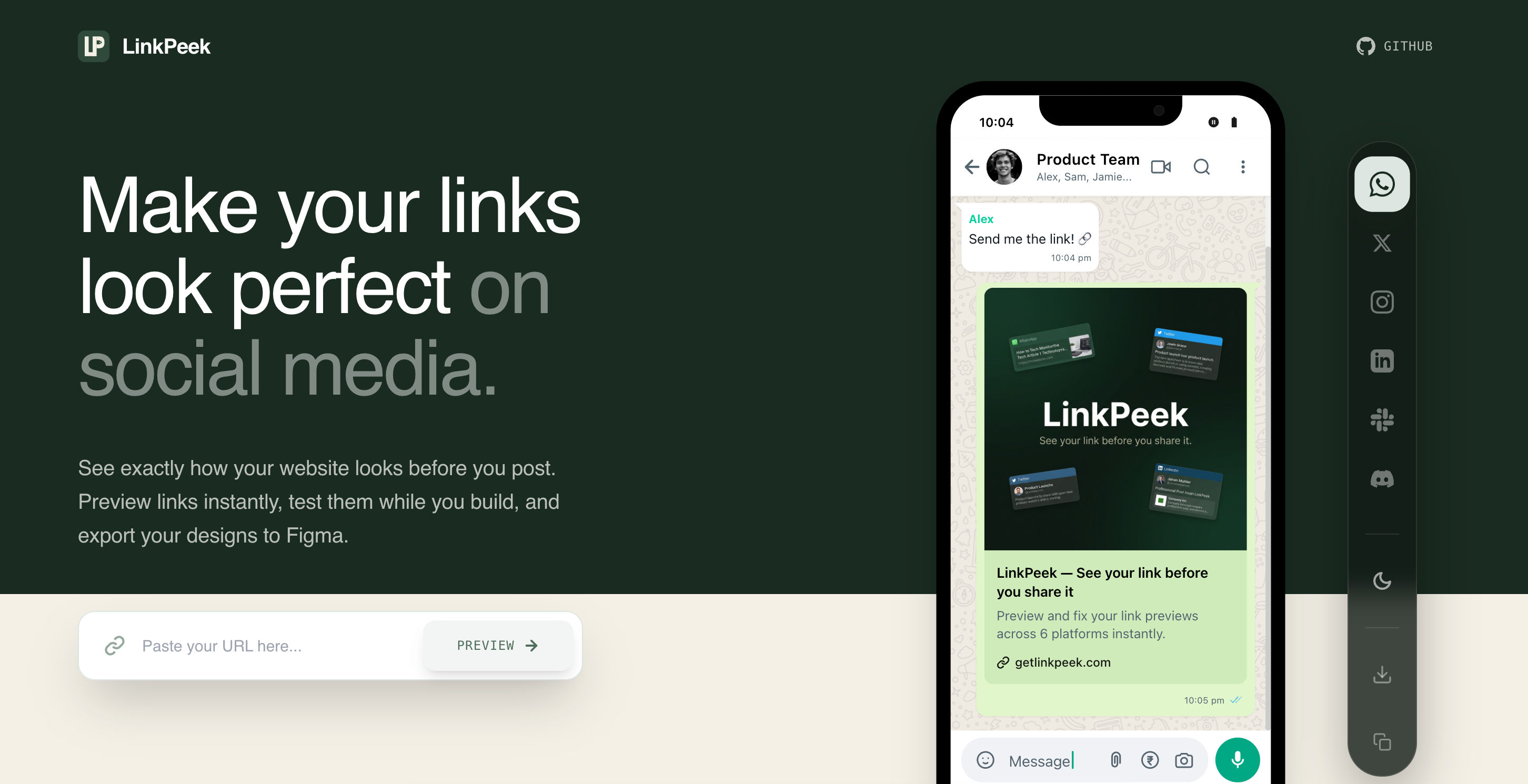
LinkPeek streamlines the entire optimization workflow by providing real-time preview validation across six major platforms simultaneously. The platform eliminates guesswork by showing exactly how your links appear before sharing, preventing embarrassing preview failures that damage professional credibility.
With 72% of marketers reporting that link previews increase content engagement according to the Content Marketing Institute, professional optimization tools become essential for maintaining competitive advantage. LinkPeek's instant validation capabilities help teams avoid common mistakes covered in our guide to fixing link preview errors.
Ready to transform your link sharing strategy and stop losing clicks to poorly optimized previews? Get started with LinkPeek and begin creating professional, engaging link previews that drive results across all your digital marketing channels.
Ready to get started?
Click here to learn more and sign up today.